Wispr Flow Pro is $144 a year and needs the internet. Mac alternatives by reason (offline, pay once, free, your own model), with a dated 3-year cost table.
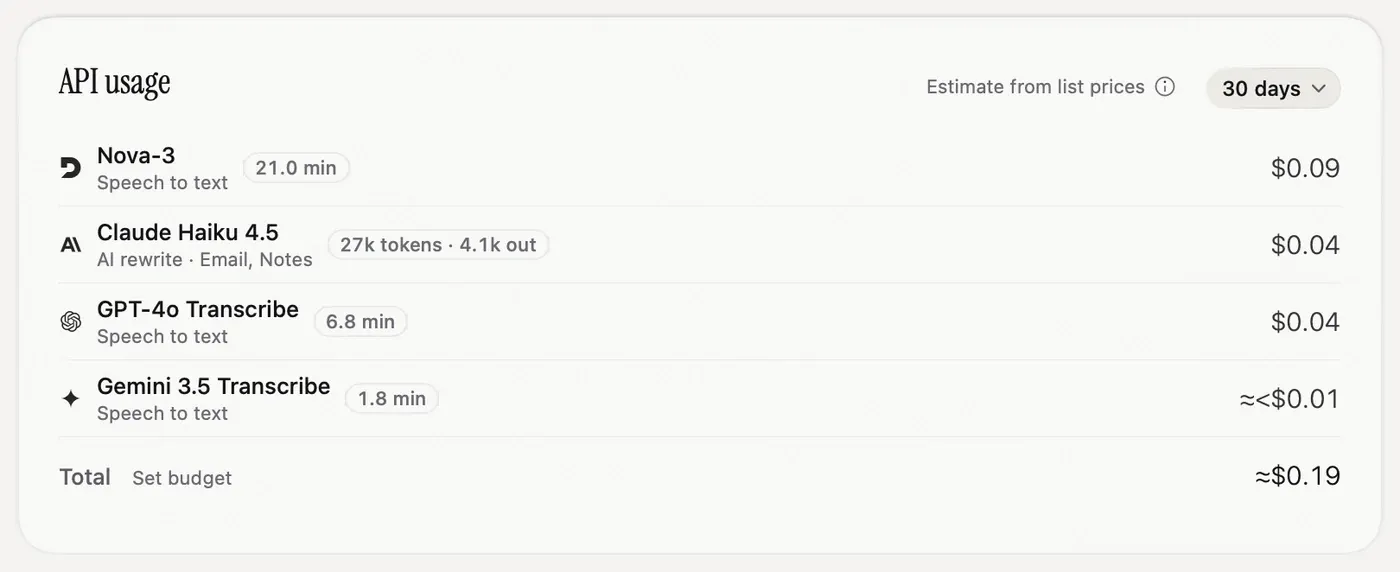
BYO key Bring your own key (BYO key) means the dictation app calls a speech provider such as OpenAI or Deepgram with your API key, so the provider bills you directly at its list price.
Nota status checked 2026-10-15: public launch and purchases are not open; join the release waitlist. Competitor prices and policies below retain their stated check dates.
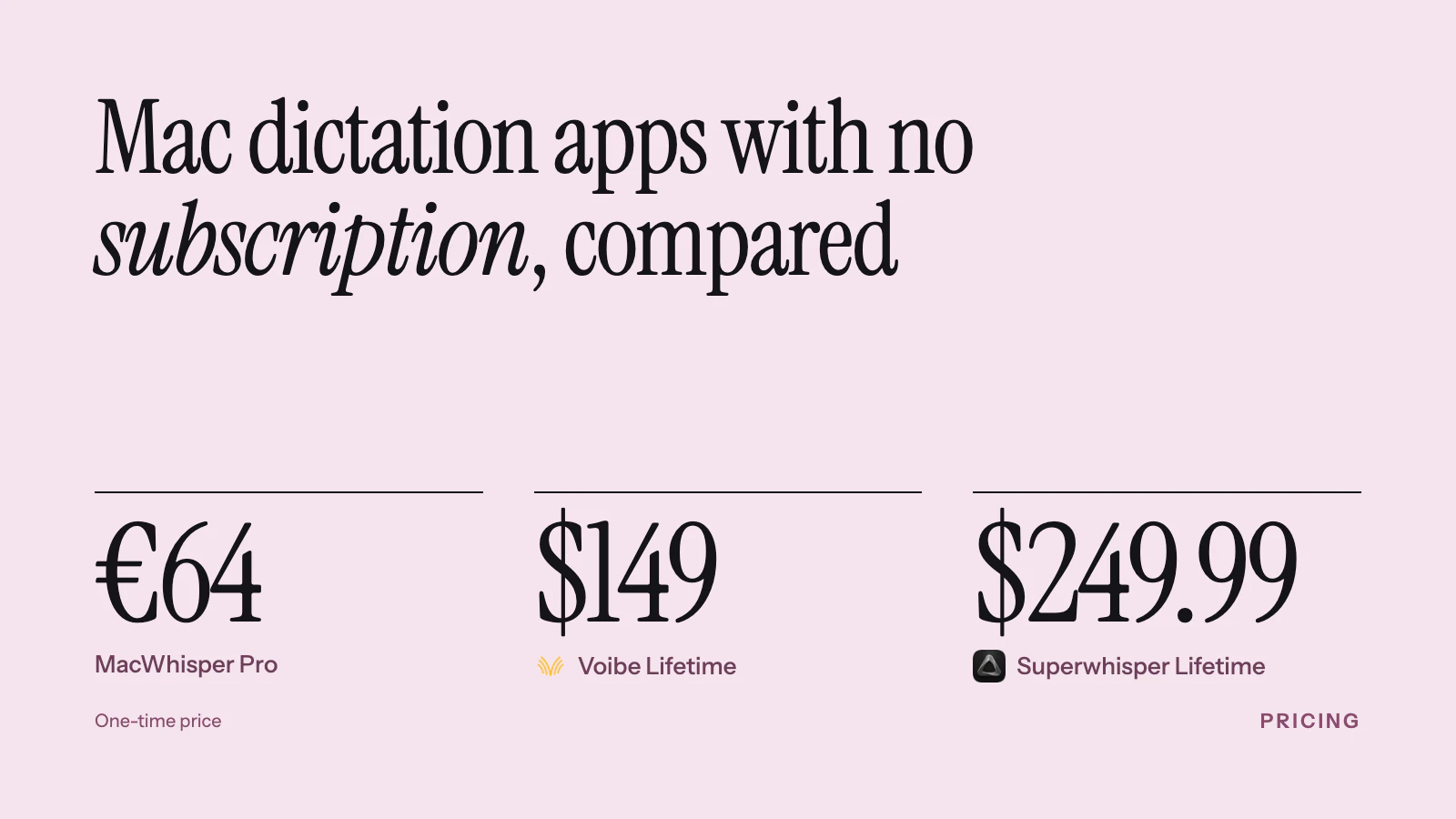
Wispr Flow Pro costs $144 a year billed yearly and needs the internet, as of 2026-09-27 (Wispr Flow pricing has the current plans and free-plan limits). If you want dictation that works offline and costs nothing, use Handy or Spokenly’s local models. To pay once instead of every year: MacWhisper (€64), Voibe ($149 lifetime), Superwhisper’s lifetime licence ($249.99), or Nota at $59 once for 1 Mac until December 31, 2026 (Early Bird), then $79. Costs below are for three years.
Why people leave Wispr Flow
Wispr Flow is a polished product. It runs on Mac, Windows, iPhone and Android, learns your words, and adjusts tone per app. Four common reasons to leave:
- The subscription. $12 to $15 a month adds up to $432 to $540 over three years.
- No offline mode. Every word goes through Wispr’s servers. On a plane or a bad hotel connection, it stops.
- No model choice. You cannot pick the speech model or use your own API key.
- The free cap. 2,000 words a week on desktop is about 13 minutes of talking.
There is a fifth, quieter reason: cost you cannot see. A subscription hides the price of the model underneath. With your own key, an hour of speech costs $0.04 to $0.40 at the provider, as of 2026-09-27, and some apps show you that bill. Wispr Flow pricing does the per-hour math.
Pick the alternative by the reason that applies to you. The table below shows how each app handles all four.
3-year cost table (as of 2026-09-27)
| App | 1-year cost (USD) | 3-year cost (USD) | Offline | Pick models | Platforms |
|---|---|---|---|---|---|
| Wispr Flow Pro | $144 | $432 | No | No | Mac, Windows, iPhone, Android |
| Willow Pro | $144 | $432 | No | No | Mac, Windows, iPhone |
| Aqua Voice Pro | $96 | $288 | Not stated | No | Mac, Windows, iOS, Android |
| Superwhisper Pro, yearly | $84.99 | $254.97 | Yes | Yes | Mac, Windows, iOS, Android |
| Superwhisper Pro, lifetime | $249.99 | $249.99 | Yes | Yes | Mac, Windows, iOS, Android |
| Voibe, yearly | $90 | $270 | Yes | No | Mac, Windows |
| Voibe, lifetime | $149 | $149 | Yes | No | Mac, Windows |
| Nota | $59 once for 1 Mac until December 31, 2026 (Early Bird), then $79 | $59, or $79 from 2027 | Yes | Yes (30+ models) | Mac |
| MacWhisper Pro | €64 (euro) | €64 (euro) | Yes | Yes | Mac |
| Spokenly | $0 (local or your key) | $0 | Yes | Yes | Mac, Windows, Linux, iPhone |
| Handy | $0 | $0 | Yes | Local models | Mac, Windows, Linux |
Prices are each vendor’s own list prices on 2026-09-27, cheapest yearly plan where there is one. Links are in the sources at the end. Apps that let you bring your own key add the provider’s bill if you use a cloud model: for four hours of speech a month, about $0.16 on Groq, $1.08 on GPT Transcribe, up to $1.60 on Speechmatics (API prices). Over 36 months that adds $5.76 on Groq or $38.88 on GPT Transcribe, so Nota at $59 with GPT Transcribe comes to about $98 over three years. Aqua Voice’s pricing page does not say whether it works offline (checked 2026-10-08).
Offline alternatives
If the reason is privacy or unreliable internet, you want a local model: speech recognition that runs on the Mac itself.
- Handy is free and open source, local only, and does one thing: hold a key, talk, paste. No styles, no cleanup.
- Spokenly makes its local models and your-own-key mode free (spokenly.app, as of 2026-09-27). It also runs on Windows, Linux and iPhone.
- Superwhisper, MacWhisper, Voibe and Nota all run local models (Whisper, Parakeet and others) and work with Wi-Fi off.
Offline has costs of its own. A local model is a download (Parakeet V3 is 494 MB, Whisper large-v3 is 2.9 GB), and it uses the Mac’s memory while it runs. Nota’s own docs say its local models are not reliable on Intel Macs.
Apple Dictation is the free baseline. Apple’s guide says dictation can be processed on your device; it has no per-app styles, no custom vocabulary and no choice of model.
Pay-once alternatives
If the reason is the subscription, these apps sell a licence once:
- MacWhisper: €64 for one Mac. Strong at transcribing files and meetings; dictation is secondary.
- Nota: $59 once for 1 Mac until December 31, 2026 (Early Bird), then $79. Duo $89 for 2 Macs and Studio $109 for 3 until December 31, 2026, then $119 and $149. Local models plus 10 cloud speech providers on your own key, modes by app and by website, and a card that shows what each cloud model cost you. Updates included, 14-day refund.
- Voibe: $149 lifetime. Aimed at legal, healthcare and finance; it deliberately has no model choice or API keys.
- Superwhisper: $249.99 lifetime. The widest feature set of the group, on four platforms, including meetings.
The fine print differs, as of 2026-09-27. MacWhisper promises lifetime updates; its licence covers one Mac and its refund window is 7 days. Nota includes updates for life and refunds within 14 days. Superwhisper and Voibe offer 30 days. Nota Pro checks its license periodically online, with up to 30 days of offline use from the last successful check. After that, reconnect for a successful check to restore Pro. A revoked key or removed activation can stop Pro sooner. Local speech processing itself runs on your Mac.
Nota and MacWhisper cost less than one year of Wispr Pro. Voibe and Superwhisper lifetime cost more than a year but less than three. In return you manage models and keys yourself, and of the pay-once apps only Superwhisper also runs on phones.
Where Wispr Flow is still better
Be clear about what you give up:
- Mobile and Windows. Wispr Flow runs on iPhone, Android and Windows. Nota, MacWhisper and Handy’s Mac build do not help you on a phone. For voice notes across devices, see AudioPen vs Superwhisper.
- Teams. Wispr has Growth and Enterprise plans with shared billing and admin controls.
- Compliance. Wispr lists SOC 2 Type II, HIPAA and ISO 27001 on its site (as of 2026-09-27). Nota makes no such claim.
- Notetaker. Meeting notes are part of the same subscription. Nota has Notebook on Mac, with microphone/call transcripts and notes using your configured AI.
- Zero setup. No models to download, no keys.
Tone per app is not unique to Wispr: Superwhisper, Willow and Nota do it too. Nota also switches by website, which matters when Gmail and Linear share one browser window.
If two or more of those matter to you, stay on Wispr Flow. If you dictate on a Mac, alone, and want to own the tool, the table above says what it costs.
Whichever you try, test it the same way: dictate the same three things (a client email, a Slack reply, a prompt with product names) and count the corrections you make. Nota’s 5,000 free words and 14-day refund, the 30-day refunds at Superwhisper and Voibe, and MacWhisper’s 7 days (as of 2026-09-27) all leave time for that.
Nota’s tiers are on /pricing; how audio is handled is in the privacy docs.
Sources
- Wispr Flow pricing, checked 2026-09-27.
- Willow pricing, Aqua Voice pricing (rechecked 2026-10-08), Superwhisper, Voibe pricing, MacWhisper, Spokenly, Handy, all checked 2026-09-27.
- Apple Support: Dictate messages and documents on Mac, checked 2026-09-27.
- Nota pricing and local models docs, checked 2026-09-27.
Questions
What is the best Wispr Flow alternative for Mac?
Pick by why you are leaving: Handy or Spokenly for free and offline; MacWhisper, Nota, Voibe or Superwhisper lifetime to pay once. If you need a team plan, Wispr Flow itself has one.
Does Wispr Flow work offline?
No. Wispr Flow processes dictation in the cloud, so it needs an internet connection.
How much does Wispr Flow cost?
Pro is $15 a month, or $144 a year billed yearly, as of 2026-09-27. The free plan allows 2,000 words a week on desktop.
First published . Nota is dictation for Mac: hold a key, talk, and it types. It is almost ready: get notified on release day, and the first 5,000 words will be free.