Local or cloud speech-to-text: how to choose
Local speech-to-text costs $0 and keeps audio on your Mac. Cloud costs about $0.04 to $0.40 an hour and covers more languages. Four questions decide it.
Local speech-to-text Local (on-device) speech-to-text runs the recognition model on your own computer, so audio is never uploaded. A cloud API sends the audio to a provider's servers and returns text.
Choose local speech-to-text if privacy or zero running cost matters most and your language is covered. Choose cloud for the widest language support or for hard audio, at about $0.04 to $0.40 an hour of speech (list prices as of 2026-09-27). Four questions decide it: which language you speak, how private the audio must be, how much memory your Mac has, and what you want to spend. Most people end up using both.
What changes between local and cloud
| Factor | Local model | Cloud API |
|---|---|---|
| Cost per hour of speech | $0 | about $0.04 to $0.40 |
| Works offline | Yes | No |
| Where the audio goes | Stays on the Mac | To the provider you chose |
| Setup | One download, up to 2.9 GB | An API key |
| Languages | 25 European (Parakeet V3), about 99 (Whisper) | Widest, varies by provider |
| Uses your Mac’s memory | Yes, while it runs | No |
| Long files | No practical limit | Provider limits (OpenAI: 25 MB) |
A cloud API here means a speech-to-text service you call with your own key, such as OpenAI, Deepgram or ElevenLabs. You pay the provider per minute of audio.
Cost per hour
Local models have no running cost. The price is the download and some battery.
Cloud list prices per hour of speech, as of 2026-09-27:
- Groq Whisper large-v3 turbo: about $0.04
- Mistral Voxtral: about $0.18
- OpenAI GPT Transcribe: about $0.27 ($0.0045 a minute)
- Deepgram Nova-3: about $0.29 (streaming, promo rate; $0.46 regular)
- ElevenLabs Scribe v2: about $0.22
At four hours of dictation a month, GPT Transcribe comes to about $1.08 and Groq to about $0.16. Those are small numbers, but they are not zero, and a subscription dictation app charges $12 to $15 a month on top of the same kind of model. The per-model prices are on the cloud models docs.
Privacy
With a local model the recording never leaves the Mac. You can turn Wi-Fi off and keep dictating.
With a cloud model the audio goes to that provider under their terms. In Nota it goes straight from your Mac with your key; there is no Nota server in between. If a recording must not leave the machine (a client call, medical notes, anything under NDA), use a local mode for it. Where your voice goes maps every setup.
Languages and accents
Parakeet V3, Nota’s starter model, covers 25 European languages and is a 494 MB download. Whisper models cover about 99 languages; base is 142 MB and large-v3 is 2.9 GB. If you speak a language outside those lists, or mix languages in one sentence, cloud models usually cope better.
Accents and noisy rooms are where the gap shows most. Try the same 30 seconds of your own speech on a local model and on one cloud model. That tells you more than any benchmark.
Two hardware notes. A local model is loaded when you dictate and released after, so it does not hold memory while you work. On Intel Macs, local models are not reliable; use cloud there.
Use both
The practical setup is local by default and cloud for the hard cases:
- Default mode: Parakeet V3 or Whisper large-v3 turbo, on your Mac, free.
- A cloud mode for long meetings in noisy rooms, rare languages, or heavy jargon, switched on by a shortcut or trigger word.
A week of this usually settles the question. If you never reach for the cloud mode, delete the key. If you reach for it daily, make it the default and keep local for private work.
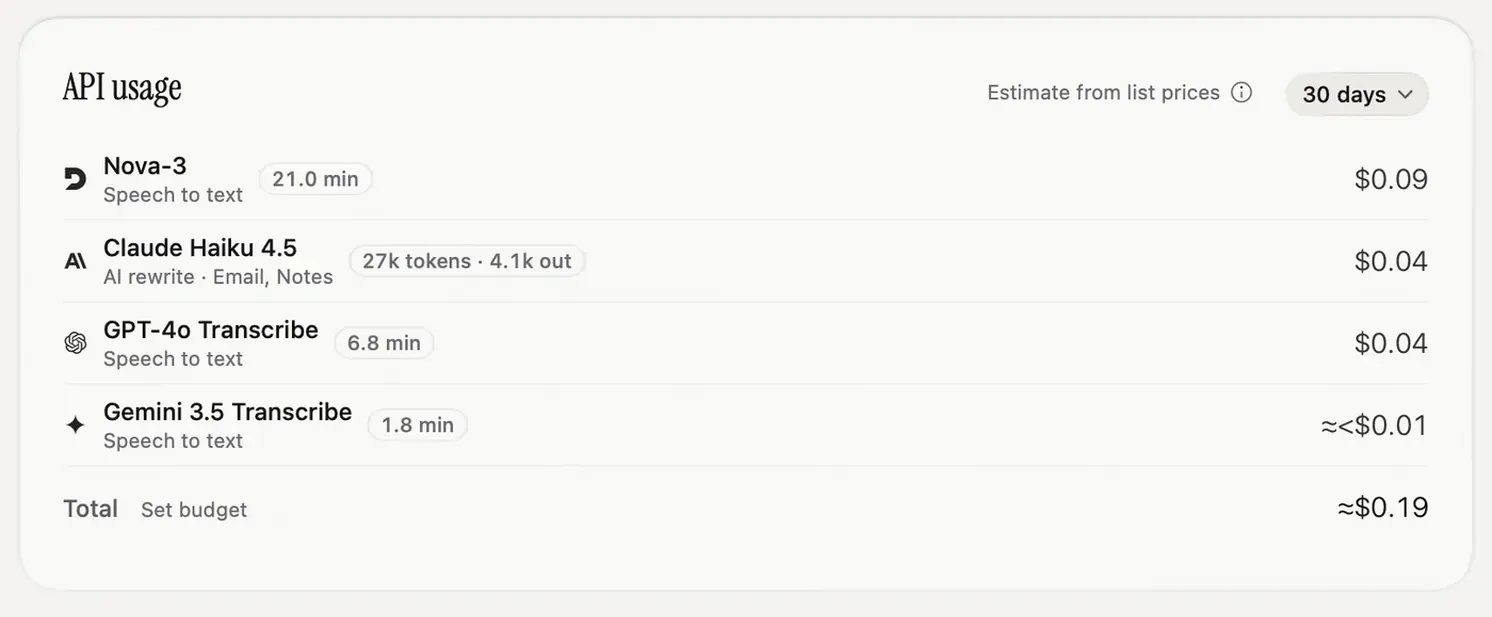
In Nota each mode picks its own model, and the Models page shows the cost per hour of every cloud model next to “Free” for local ones. The spend card on Home adds up what the cloud modes actually cost you.
Model setup is in the local models docs and cloud models docs.
Sources
- Nota docs, Local models and Cloud models: sizes, languages and the Voxtral and GPT Transcribe rates, checked 2026-09-27.
- Groq speech-to-text, Deepgram pricing, ElevenLabs API pricing, checked 2026-09-27.
- OpenAI speech-to-text guide: 25 MB upload limit, checked 2026-09-27.
Questions
Is local speech-to-text as accurate as cloud?
For common languages, modern local models such as Parakeet and Whisper large-v3 come close to cloud models. Test with your own voice, accent and vocabulary before deciding.
How much does cloud transcription cost?
About $0.04 to $0.40 per hour of audio at major providers, at list prices as of 2026-09-27.
Can I use both local and cloud?
Yes. In Nota each mode picks its own model, so one mode can run locally and another in the cloud.
Nota is dictation for Mac: hold a key, talk, and it types. It is almost ready: get notified on release day, and the first 5,000 words will be free.