Docs Using Nota
Cloud models and keys
Use a cloud provider with your own API key. Nota shows what each model costs per hour.
Cloud models can be faster or more accurate than local ones, especially on older Macs. You bring your own API key and pay the provider directly, at their price. Nota never adds a fee and never sees your key.
Add a key
- Open Models and choose the Providers tab.
- Click Add key next to a provider. Don't have one yet? Click the Get … API Key link to open the provider's site.
- Paste the key and click Verify. Nota sends a tiny test request. Verifying costs nothing.
- The provider moves to Connected. Its models are now in the Models list and in every mode.
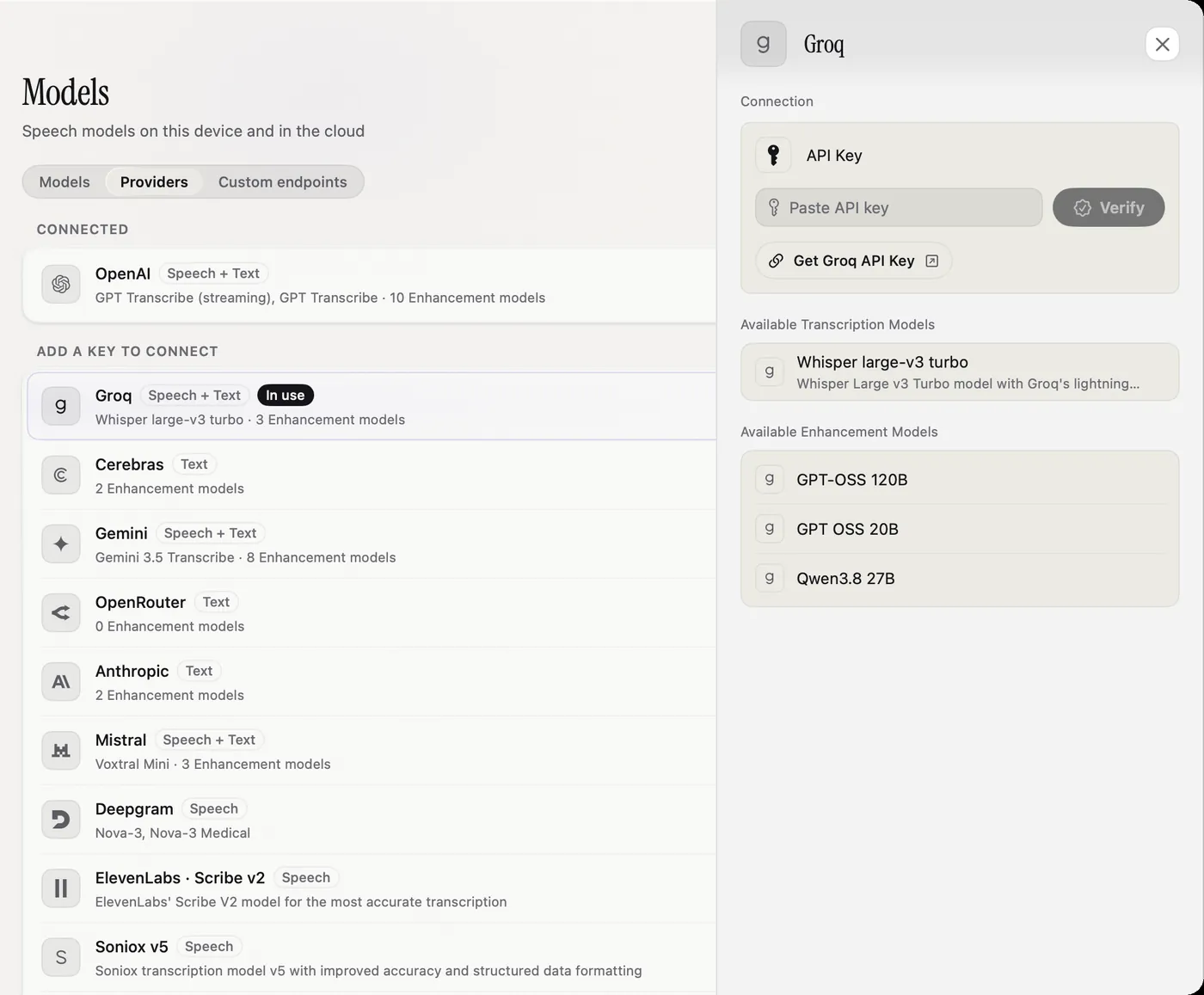
Keys are stored in the macOS Keychain on this Mac only. They are not in your settings, logs or backups, and they do not sync to other Macs.
Providers
Speech to text: OpenAI, Groq, Gemini, Mistral, Deepgram, ElevenLabs, Soniox, Speechmatics, AssemblyAI, xAI and Cartesia. For text rewrites also: Anthropic, Cerebras and OpenRouter. Each row says Speech, Text or both.
What it costs
The Models page shows the cost of one hour of speech for every model, in the Cost / h column, at the provider's list price. Local models show Free. Prices change, so check the Models page for current figures.
List prices per hour of audio, checked September 27, 2026. "Live" is the streaming version where there is one.
| Model | Provider | File | Live |
|---|---|---|---|
| GPT Transcribe | OpenAI | $0.27 | $1.02 |
| Whisper Large v3 Turbo | Groq | $0.04 | – |
| Nova 3 | Deepgram | $0.26 | $0.29 |
| Nova 3 Medical | Deepgram | about $0.26 | – |
| Scribe V2 | ElevenLabs | $0.22 | $0.39 |
| Voxtral | Mistral | $0.18 | – |
| Gemini 3.5 Transcribe | Gemini | about $0.30 | about $0.54 |
| Soniox V5 | Soniox | $0.10 | $0.12 |
| Speechmatics | Speechmatics | $0.40 | $0.43 |
| Universal-3.5 Pro | AssemblyAI | $0.21 | $0.45 |
| Universal-2 | AssemblyAI | $0.15 | – |
| Grok | xAI | $0.10 | $0.20 |
| Ink 2 | Cartesia | no public price | no public price |
| Any local model | This Mac | Free | Free |
- Groq bills at least 10 seconds per request, so many very short dictations cost a little more.
- Deepgram's live price is a promotion (normally $0.46). Deepgram and AssemblyAI bill live use by connection time, not just speech.
- ElevenLabs adds about $0.05 per hour when your dictionary words are sent as hints.
- Smart Dictation's default model costs about $0.006 per hour of speech on top.
A model without a known price shows no figure, never a made-up $0.
See what you spent
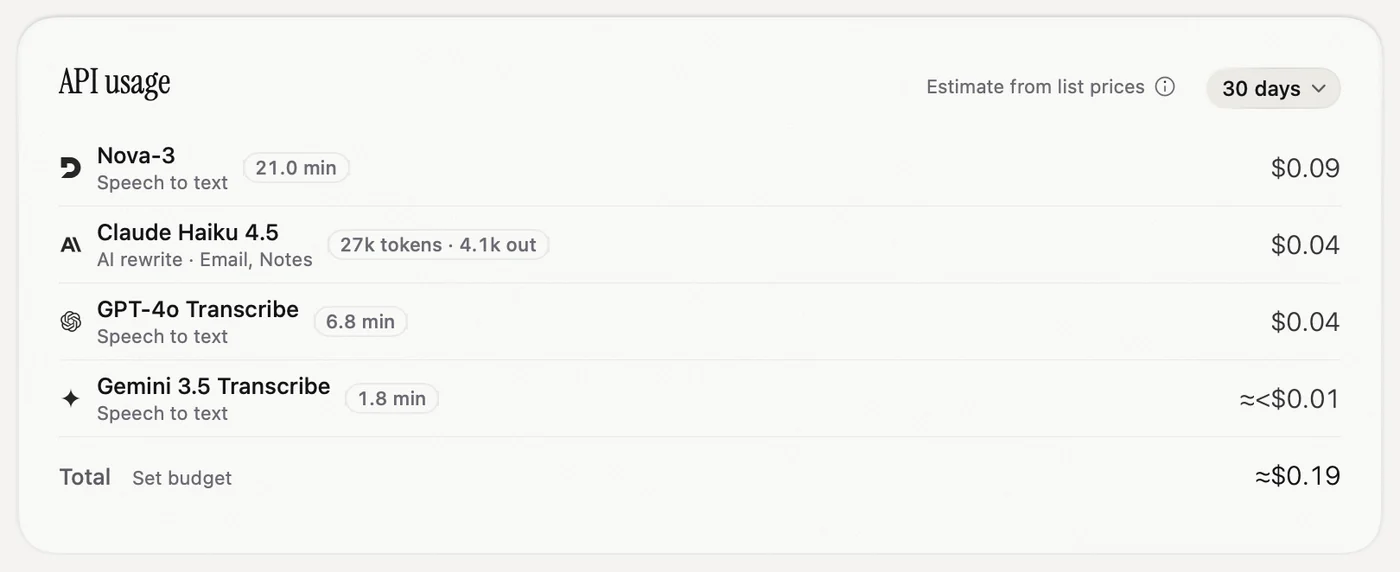
The API usage card on the Home page adds up what each cloud model cost you in the chosen period, including rewrites and Smart Dictation. Choose Today, 7 days, 30 days, 6 months, All time, or set your own dates. Nota remembers your choice. It is an estimate from list prices. Your provider's bill is the final word.
Streaming
Many cloud models, and Parakeet and Nemotron on your Mac, listen while you talk. The text is ready almost as soon as you stop. You see the final text only, not words appearing as you speak. If the live connection drops, Nota quietly sends the whole recording instead. You don't need to do anything.
Custom endpoints
Use a server that speaks the OpenAI format: a model on your own machine, a company proxy, or another provider. Open Models › Custom endpoints.
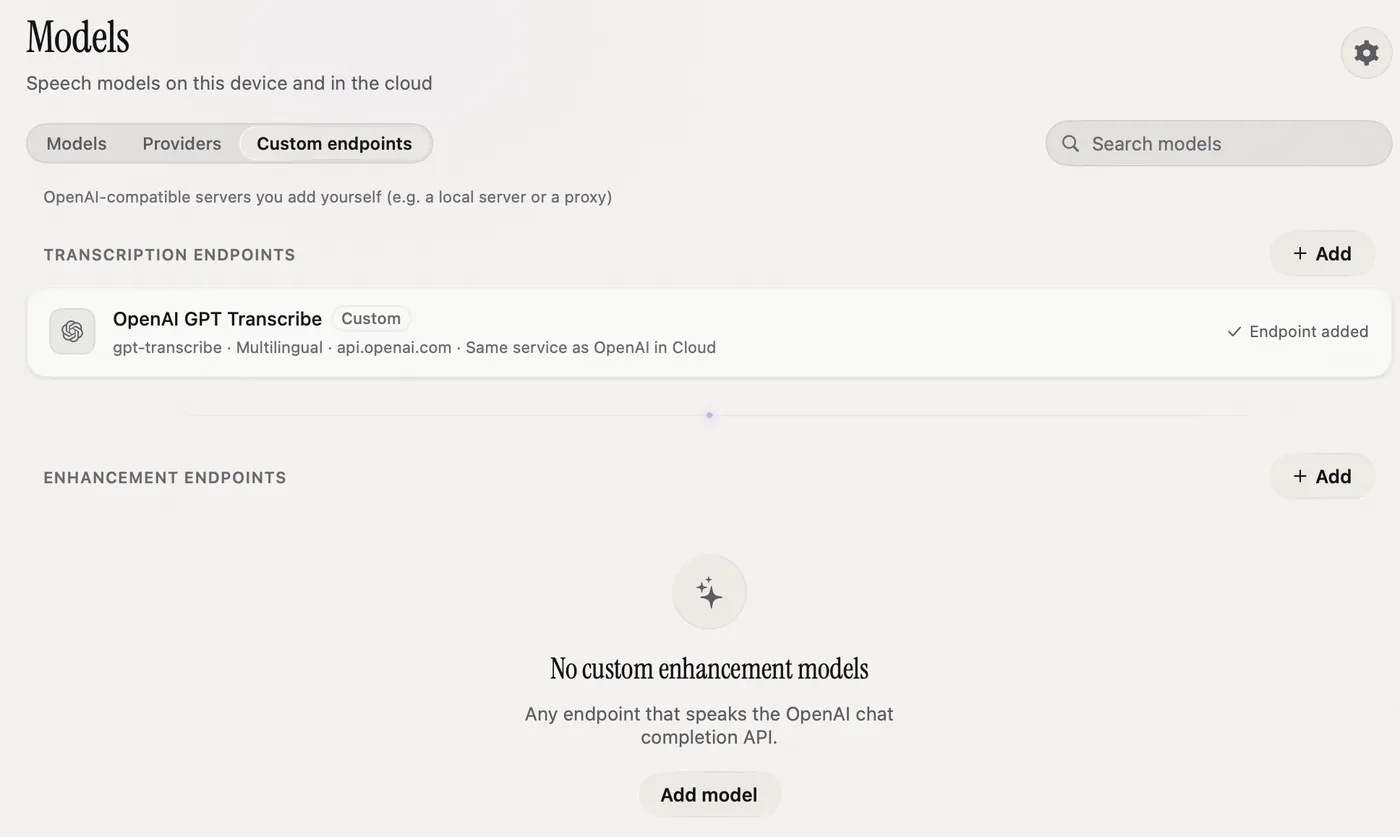
- Next to Transcription endpoints, click Add.
- Fill in Display Name, API Endpoint (the full URL), API Key and Model Name. Turn on Multilingual Model if it handles many languages.
- Click Test next to Connection. Nota sends a short test clip and tells you if the key or address is wrong.
- Click Add Model. It now appears in the Models list and in every mode.
The URL must start with https://. Plain http:// is allowed only for a server on your own Mac. For text rewrites, click Add model under Enhancement endpoints and add a server that speaks the OpenAI chat completion format.
Limits to know
- OpenAI accepts files up to 25 MB, about 13 minutes of speech. Longer recordings fail with OpenAI. Use a local model or another provider for long takes.
- Cartesia works only live. If its connection fails, that dictation fails too. The audio is kept in History.