Where your voice goes when you dictate on a Mac
Where dictation audio goes on a Mac: Apple Dictation, cloud apps, apps on your own API key and local models, plus what else goes online and how to check.
On-device processing means the speech model runs on your Mac's own chip, so the recording is never uploaded. Zero data retention means a server processes the audio but does not store it afterwards.
It depends on the setup, as of 2026-09-27. With a local model, the audio stays on your Mac. With a cloud dictation app, it goes to that company’s servers. With an app that uses your own API key, it goes straight to the provider you chose. Apple Dictation processes supported languages on device on some Macs and sends audio to Apple’s servers otherwise. Text you ask a language model to clean up follows the same rules.
Apple Dictation: on-device or Apple servers
Apple’s answer is conditional. Per Apple’s Mac User Guide, on supported Macs and languages dictation runs on device; the Dictation section of System Settings > Keyboard tells you whether your voice input is processed on your Mac or sent to Siri servers.
When audio does go to Apple, Apple’s Siri and Dictation privacy notice says it is not stored unless you opt in to Improve Siri & Dictation. That switch is in System Settings > Privacy & Security > Analytics & Improvements. macOS asks about it during setup, so check which answer you gave.
Cloud dictation apps
Most subscription dictation apps (Wispr Flow, Willow, Typeless, Aqua Voice, Monologue) process speech in the cloud. Your audio, and usually the text around your cursor or on screen when a feature uses it, goes to their servers and on to whichever model they run.
That is not automatically bad. Several publish strong commitments, as of 2026-09-27: Wispr Flow lists SOC 2 Type II, HIPAA and ISO 27001; Typeless advertises zero cloud data retention; Aqua has a Privacy Mode that stores nothing on its servers. But it is a promise from one more company, about a pipeline you cannot see.
Your key, their provider
A third setup sits in between. Apps such as Nota, Superwhisper (Pro), MacWhisper (Pro) and Spokenly let you add your own API key for OpenAI, Deepgram, ElevenLabs and others.
Then the recording goes from your Mac straight to that provider, under the terms you accepted when you created the key. There is no dictation company’s server in the middle. You can read one provider’s API data policy instead of two companies’ policies, and you can revoke the key at any time.
The trade: you choose and manage the provider yourself. Read its API data terms, especially retention and training.
Local models
A local model runs the speech recognition on your Mac: Whisper, Parakeet, Apple’s own speech model and others. Nothing is uploaded, and it works with the network off.
This is the only setup where “the audio never leaves the Mac” is literally true. It costs nothing per hour. The costs are a download (up to about 3 GB), memory while it runs, and slightly weaker results on hard audio than the best cloud models.
| Setup | Audio goes to | Text goes to | Other network calls |
|---|---|---|---|
| Apple Dictation, on device | Stays on the Mac | Stays on the Mac | Apple services, as usual |
| Apple Dictation, server | Apple | Apple | Apple services, as usual |
| Cloud dictation app | The app’s servers and its model provider | The app’s servers | Account sign-in, sync |
| Your own key (Nota and others) | The provider you chose | The cleanup provider you chose, if any | Licence, updates, model downloads |
| Local model (Nota and others) | Stays on the Mac | Stays on the Mac, unless you turn on cleanup | Licence, updates, model downloads |
What else leaves your Mac
“Local” apps are not silent. Here is the full list for Nota, per its privacy docs:
- Cleanup and rewrite. If a mode rewrites the text, or Smart Dictation is on, the text goes to the language model provider you picked. If a mode is set to use your clipboard, the selected text or the screen as context, that goes too.
- Licence. Your key is checked once, when you activate. After that Nota works offline.
- Updates. When Nota checks for updates, it asks the update feed whether there is a new version.
- Model downloads. Model files come from where each model is hosted.
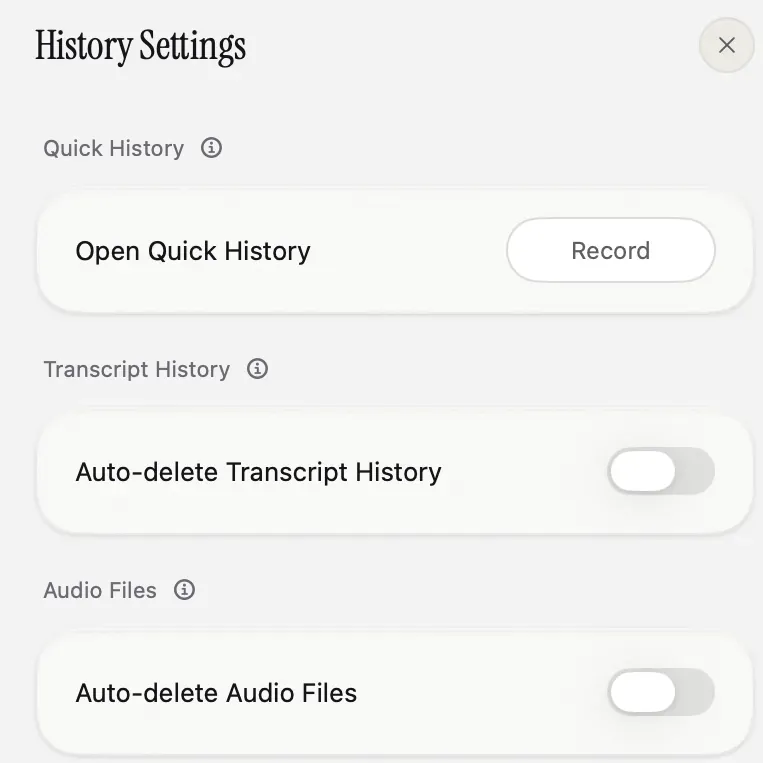
What Nota never receives: your recordings, your text, your dictionary or your keys. There is no account and no Nota transcription server. Keys live in the macOS Keychain. History, recordings, dictionary and modes stay on the Mac, and History settings can auto-delete transcripts and audio on a schedule.
How to check for yourself
You do not need to trust any of these claims, including ours.
- Turn Wi-Fi off and dictate. If text still appears, the speech model is local. If it fails, it was using the cloud.
- Watch the connections. A network monitor such as LuLu (free) or Little Snitch shows every host an app connects to while you dictate.
- Read what was sent. In Nota, open a dictation in History and click Info: it shows the model used and the exact request sent for the rewrite, if there was one.
The full list of what goes where is in the privacy docs; the formal version is the privacy policy.
Sources
- Apple Mac User Guide: Dictate messages and documents, checked 2026-09-27.
- Apple: Ask Siri, Dictation & Privacy, checked 2026-09-27.
- Wispr Flow, Typeless, Aqua Voice, vendor sites checked 2026-09-27.
- Nota privacy docs and History docs, checked 2026-09-27.
Questions
Does Apple Dictation send audio to Apple?
On Macs and languages that support on-device dictation, no. Otherwise audio is sent to Apple's servers to be processed; the Dictation section of Keyboard settings says which applies to you.
Which dictation apps keep audio on the Mac?
Apps running a local model, when that model is selected: for example Nota, Superwhisper, MacWhisper, Spokenly and Handy.
Does Nota receive my recordings?
No. With a local model the audio stays on your Mac; with a cloud model it goes straight to the provider whose key you added.
Nota is dictation for Mac: hold a key, talk, and it types. It is almost ready: get notified on release day, and the first 5,000 words will be free.