Apple Dictation vs paid dictation apps: worth paying?
Apple Dictation is free and fine for short text. What paid apps like Wispr Flow and Nota add, what they cost, and when to stay free (as of 2026-09-27).
Cleanup pass A cleanup pass is a second step after speech-to-text: a language model removes fillers, applies spoken corrections and fixes punctuation before the text is pasted.
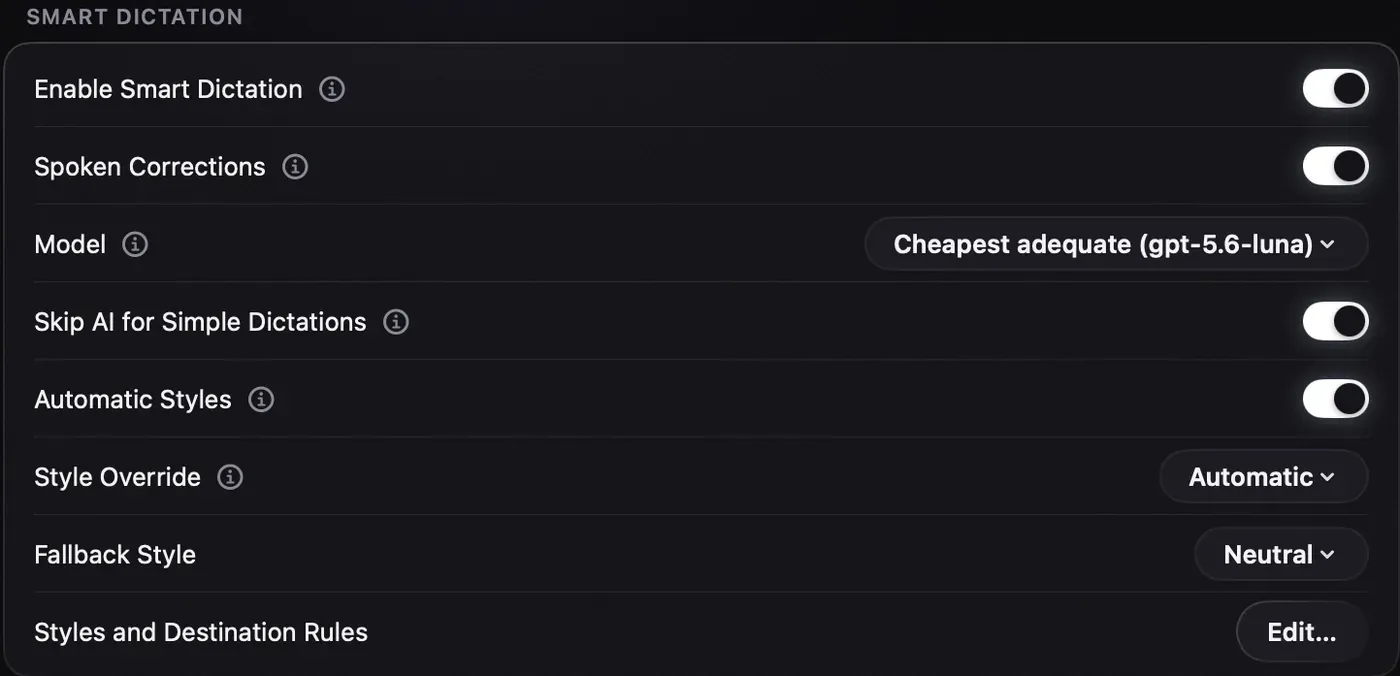
Apple Dictation is free, built into every Mac, and fine for short messages. Paid dictation apps add a cleanup pass (fillers, repeats and spoken corrections removed, punctuation fixed), a style per app, custom words and a choice of speech model. Wispr Flow charges $144 a year for that and Nota $79 once (as of 2026-09-27). Pay if you dictate emails, prompts or documents every day. Stay free if you dictate a few lines at a time.
What does Apple Dictation do well?
More than people give it credit for.
- It costs nothing and is already on your Mac. Turn it on in System Settings > Keyboard > Dictation.
- It runs on the Mac for many languages on Apple silicon, so no audio leaves the machine in those cases (Apple Support).
- It adds punctuation automatically, and takes spoken commands like “new paragraph”.
- It works in almost any text field, with no permissions to grant.
Its limits are just as clear. It stops after about 30 seconds with no speech. It has no custom word list (only Voice Control has one). It types what you said, including “um”, false starts and “no wait, I mean”. There is one model, Apple’s, and you can’t swap it.
Same paragraph, two outputs
Here is what the difference looks like. This is a written example to show what each step does, not a recorded test, and your results will vary with the model and how you speak.
What you say, out loud:
um so can we move the call to Thursday no sorry Friday and uh can you send me the deck before that thanks
What plain transcription gives you (the kind of output Apple Dictation produces):
Um so can we move the call to Thursday no sorry Friday and uh can you send me the deck before that thanks
What a cleanup pass gives you, with the Work chat style:
Can we move the call to Friday? And can you send me the deck before that? Thanks.
The first version is accurate. It is also a message you have to fix by hand before you send it. The second one handles “Thursday no sorry Friday” as a correction, drops the fillers and splits the sentences. That editing step is what you pay for.
What do paid dictation apps add?
| Feature | Apple Dictation | Paid dictation apps (Wispr Flow, Nota and others) |
|---|---|---|
| Price | $0 | $144/yr (Wispr Flow) or $79 once (Nota), as of 2026-09-27 |
| Removes fillers and repeats | No | Yes |
| Spoken corrections (“no, Friday”) | No | Yes |
| Style per app (email, chat) | No | Yes |
| Custom words | No (Voice Control only) | Yes, some learn from your edits |
| Choice of speech model | No | Some apps (Nota, Superwhisper, MacWhisper) |
| Works offline | Yes, for many languages | Depends on the app and model |
| Length limit | Stops after ~30 s of silence | Records while you hold the key |
Wispr Flow does the cleanup, per-app styles and a learning dictionary, cloud only (wisprflow.ai/pricing). Nota does the same kinds of cleanup through Smart Dictation: styles for Email, Work chat, Personal chat, Neutral or your own, picked by app, window, website and path. Its dictionary feeds your names and terms to the speech model, and Auto Learn turns the corrections you make after a paste into new entries.
What does it cost?
Apple Dictation: $0.
A subscription app: Wispr Flow Pro is $12 a month billed yearly, $144 a year, or $432 over three years (wisprflow.ai/pricing, as of 2026-09-27).
A pay-once app with your own key: Nota is $79 for one Mac ($59 early bird until December 31, 2026), with updates included for life. On a local model, speech-to-text costs nothing. On a cloud model you pay the provider, about $0.27 an hour of speech on GPT Transcribe. The cleanup pass adds about a cent an hour on the default model. The first 5,000 words are free, so you can check the difference on your own emails before paying. See pricing.
When should you stay with Apple Dictation?
Stay with it if:
- you dictate a sentence or two at a time, mostly in Messages or Notes;
- you are fine fixing fillers and corrections by hand;
- you don’t use names or terms it keeps getting wrong;
- you don’t want to grant another app Microphone and Accessibility access.
Pay for an app if you dictate long emails, documents or prompts to coding tools every day, if you keep correcting the same words, or if the 30-second stop keeps cutting you off. The time you spend fixing text by hand is the real price of the free option.
The Smart Dictation guide shows each cleanup setting and what it changes.
Questions
Is Apple Dictation good enough?
For short messages and notes, often yes. It has no cleanup pass, no per-app style, no custom word list and no choice of model.
What does Wispr Flow do that Apple Dictation doesn't?
It cleans up your speech, adapts the style per app and learns a dictionary. It costs $144 a year as of 2026-09-27.
Can I get the cleanup without a subscription?
Yes. Pay-once apps such as Nota ($79) run the cleanup on your own provider key, at about a cent an hour on the default model.
Nota is dictation for Mac: hold a key, talk, and it types. It is almost ready: get notified on release day, and the first 5,000 words will be free.