Dictating emails on a Mac so they sound like you
How to dictate emails on a Mac (as of 2026-09-27): fix greetings, paragraphs and sign-offs with an Email style that switches on in Mail, Gmail and Outlook.
Email style An email style is a set of cleanup instructions for email: add a greeting and paragraphs, keep the tone, and end with a sign-off, applied when you dictate into a mail app.
To dictate emails on a Mac that don’t need rewriting, use a dictation app with an Email style that switches on by itself in Mail, Gmail and Outlook. It turns natural speech into a greeting, short paragraphs and a sign-off. Apple Dictation works in every mail app too, but it types exactly what you say, so you add structure by voice commands or by hand. Checked on 2026-09-27.
What goes wrong in dictated email?
Four things, almost every time.
- No structure. You talk in one stream. Email needs a greeting, paragraphs and a closing line.
- Speech habits. “So, um, basically” and restarts that read badly in writing.
- Corrections. “Can we do Tuesday, actually no, Wednesday” ends up in the email word for word.
- Tone. Spoken English is looser than a message to a client. The same words can sound curt once they’re typed.
Apple Dictation handles punctuation and takes commands like “new paragraph” (Apple Support). It won’t fix the other three.
How does an email mode switch on by itself?
In Nota, Smart Dictation picks a style from where you are dictating. The presets are Email, Work chat, Personal chat and Neutral, and you can add your own.
By default, Email is used in:
- Apple Mail and Outlook for Mac;
- Gmail and Outlook on the web.
Slack and Teams get Work chat. Messages, WhatsApp and Telegram get Personal chat. Everything else falls back to Neutral.
Rules can match the app, the window title, the website and even the path on that website. Modes can switch the same way, by app and by website in supported browsers. So Gmail in a supported browser can use your Email mode while every other tab uses plain dictation. You don’t switch anything by hand.
Signature and address replacements
Don’t dictate your signature. Make a replacement in the dictionary: say a short phrase, get the full text.
- “sign off” becomes your name, role and phone number;
- “my email” becomes your address;
- “calendar link” becomes the booking URL you paste every week.
Replacements run after the cleanup pass, so the email style can’t reword them.
Before and after
This is a written example to show what each step does, not a recorded test. Results depend on the model and how you speak.
| Spoken | Pasted |
|---|---|
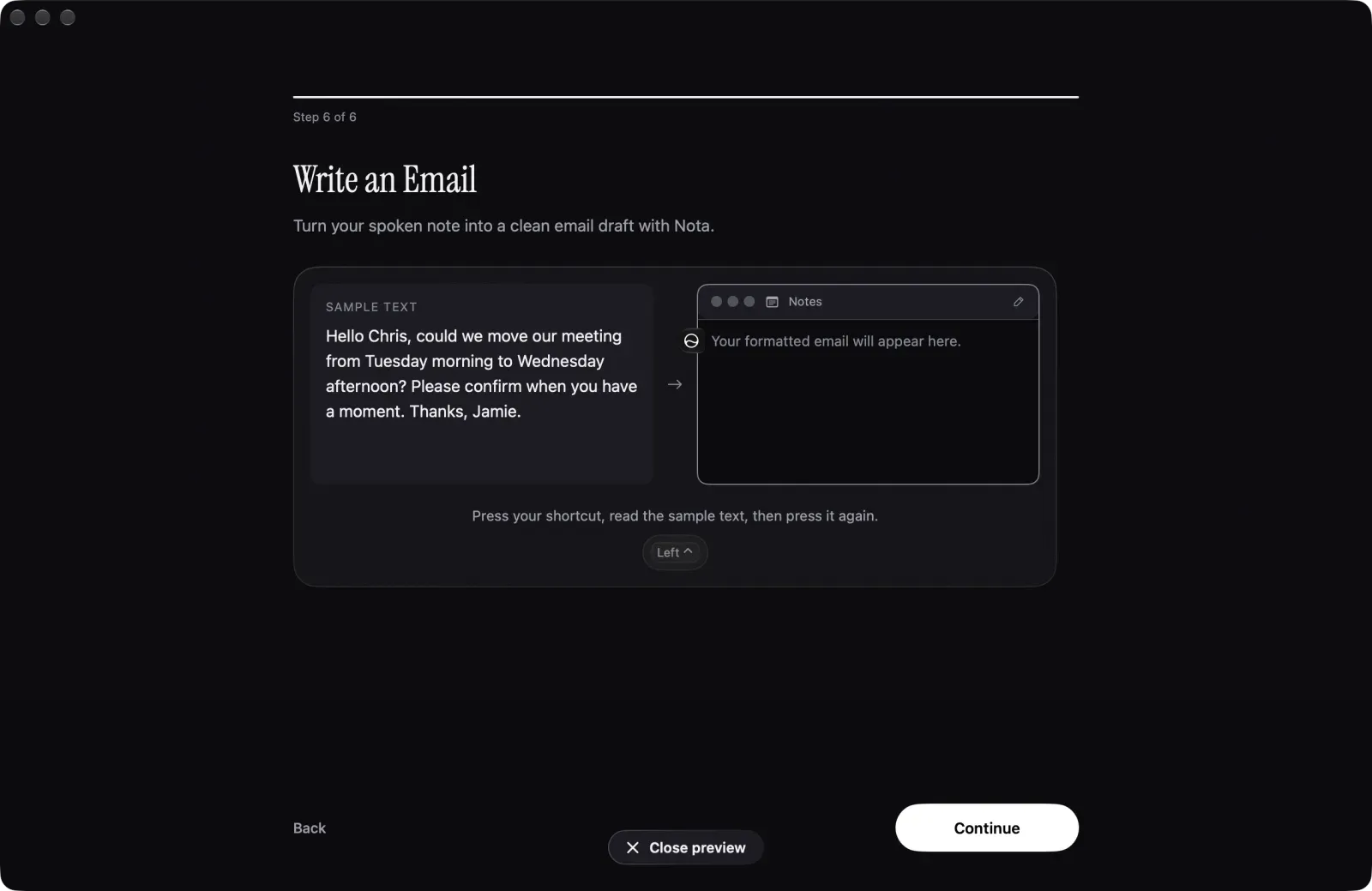
| “hi Chris um so could we move our meeting from Tuesday morning no sorry Wednesday afternoon” | Hi Chris, could we move our meeting to Wednesday afternoon? |
| “and uh can you confirm when you get a moment thanks” | Please confirm when you have a moment. Thanks, |
| “sign off” | Jamie Park, Producer, +1 555 0100 (your replacement) |
The spoken version goes into the mail app as a short, finished email: greeting on its own line, one paragraph, the correction applied, your signature from the replacement. You read it once and send it. If the style is too formal or too loose for how you write, edit the Email style’s instructions or copy it into your own style, and the next email follows the change.
Nota’s onboarding ends with this exact exercise (the screenshot above): you read a sample email aloud and see the formatted draft appear.
The cleanup pass costs about a cent per hour of speech on the default model, on your own key, and speech-to-text is billed separately (or free on a local model). The first 5,000 words are free with no account, enough to try it on real replies and judge the output on your own mail before you pay. The Smart Dictation guide lists every style and rule.
Questions
Can I dictate emails in Apple Mail?
Yes, with Apple Dictation or any system-wide dictation app. Click into the message body and start dictating.
How do I get paragraphs in dictated email?
Say 'new paragraph' with Apple Dictation, or use an app whose cleanup pass splits the text into paragraphs for you.
Can dictation use a different style in Gmail?
Yes. Nota picks its Email style for Gmail on the web by default, and modes can switch by website in supported browsers.
Nota is dictation for Mac: hold a key, talk, and it types. It is almost ready: get notified on release day, and the first 5,000 words will be free.